


Spatial arrangements are movable without having to create an entirely new scene, so creative experimentation becomes easier. Flexible layouts allow creators to experiment with composition prior to investing in detailed production. The Seed research of ByteDance involves 3D content generation and simulation-oriented environments. There is a report on an upcoming world-model project that is part of this larger ecology. The project is not yet released, so any claimed capabilities should be kept out of the functionality that is confirmed. In the meantime, Pippit offers easy-to-use tools for related scene planning and video workflow. Story Studio is a workspace that integrates scenes, characters, images, video, text, and audio.
From Fixed Frames to Flexible Spatial Experiments
In traditional image generation, the image is typically generated once, and major spatial changes mean another generation. A connected scene is a different way of thinking about it, as objects continue to be connected by spatial relationships. The transposition of one element can alter balance, depth, scale, negative space, and attention throughout the composition. This facilitates spatial decisions prior to detailed styling. A 360-degree environment can offer more context than a stand-alone camera frame. Pippit’s 3D Director Studio allows for panoramic environments, camera positioning, and perspective testing. Existing scene views can be picked up as visual references in the AI video generator workflow.
What Creators Can Experiment With in Scene Layouts
Seeworld is the direction reported towards connected environments, multiple viewpoints, and layout exploration. Creators can experiment with different layout parameters and see how they impact composition.

Foreground placement changes the framing, depth, and emphasis of objects that are very close to the camera.
- Character positioning: Move distance and location to shift the focus of the narrative and relationships between characters.
- Object scale: Analyze proportions and which elements have visual dominance.
- Background structure: Rearrange environment details, maintaining the general spatial sense.
- Camera position: Experiment with different compositions by shooting from above, below, from a distance, and close up.
- Open space: Employ open space for cleaner emphasis, breathing room, and movement paths.
Experimentation Without Losing the Scene’s Internal Logic
Scale, geometry, perspective, and spatial relationships are best understood when creative freedom is employed. If objects are changing out of control, they may look unconnected or even physically impossible. Productive experimentation involves altering composition without losing too much structure to allow for comparison. Because of the random rearrangement, it is hard to determine which change was the one that made the scene better. A good way to work is to alter one significant compositional element at a time. Change character distance, then compare camera height in the most powerful version. A white-mesh effect can isolate geometry, depth, scale, and composition. The white-clay concepts reported here are based on this structural approach, prior to the final visual treatment. This approach allows for the identification of structural issues early on that can be corrected prior to styling issues.
Steps to Use Seeworld to Experiment With Scene Layouts
Step 1: Start experimenting with scene layouts
- Sign up for Pippit using Google, TikTok, or Facebook account info before experimenting with Seeworld.
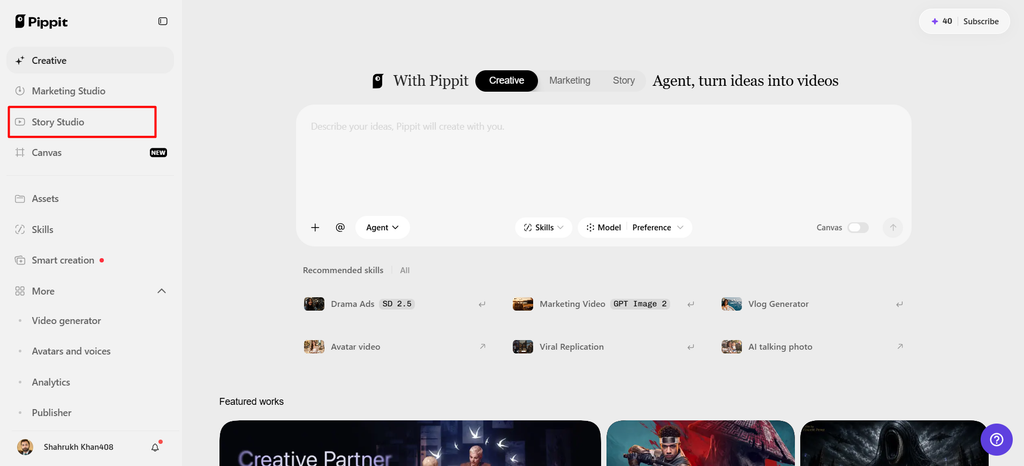
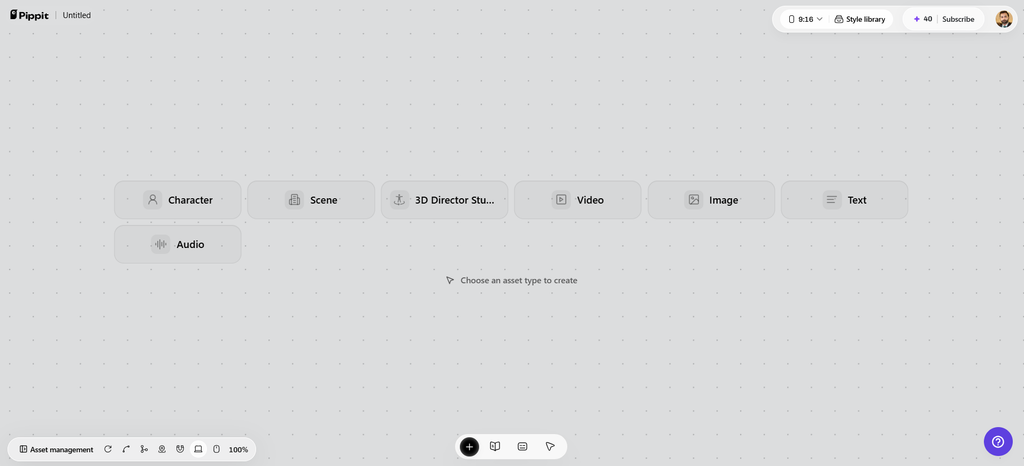
- Open “Story Studio” from the left vertical menu on the home page to access layout controls.
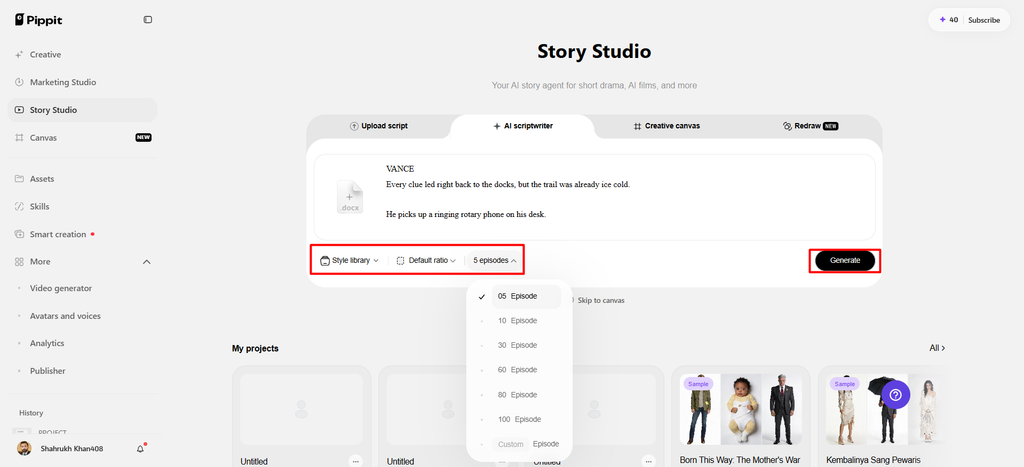
- Use “Upload script” for prepared ideas, or choose “Paste script” to enter layout instructions directly.
- From the top menu, use “AI scriptwriter” to develop alternative scenes around your experimental direction.
- Select a suitable direction through “Style library” to explore consistent visual treatments across your variations.
- Choose “Default ratio” for your composition, then adjust “Episodes” to generate several layout experiments together.
- Finally, click “Generate” to produce an initial scene and provide a foundation for further experimentation.
Step 2: Experiment with flexible scene assets
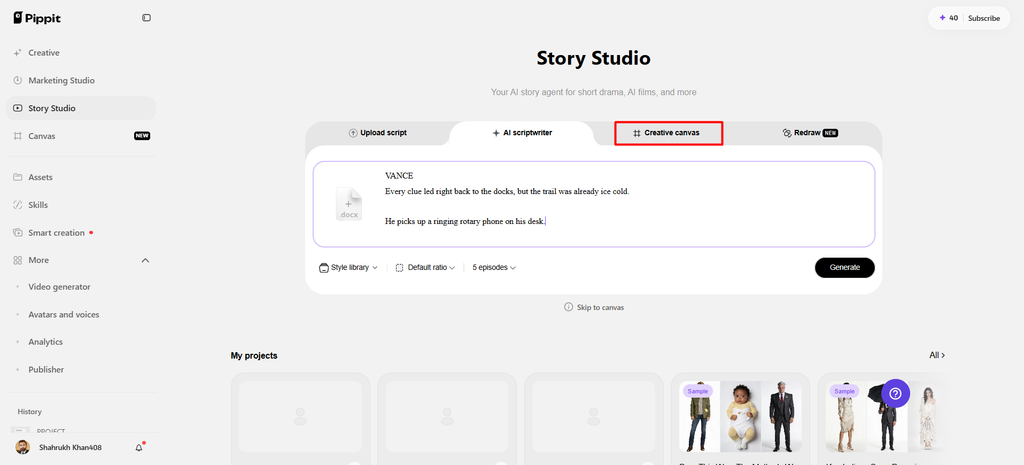
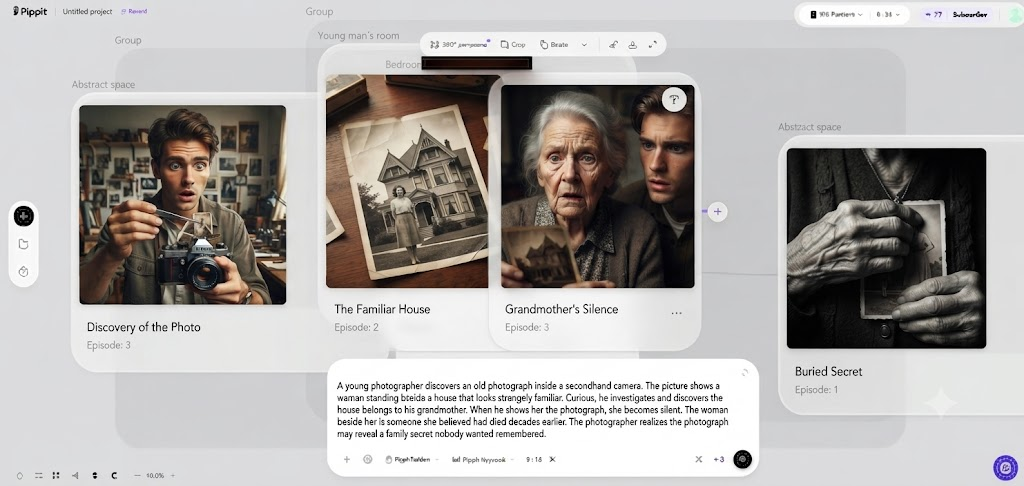
- Use “Creative Canvas” to add images, scene videos, audio, characters, and spatial roles across variations.
- Write prompts describing layout changes, objects, lighting, camera angles, style, mood, settings, and context clearly.
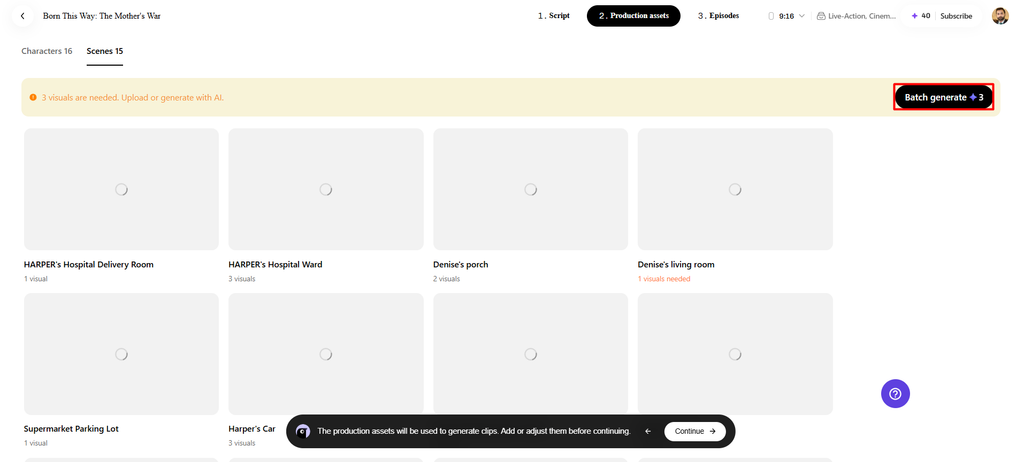
- After assigning roles and generating assets, select “Batch generate” to create multiple experimental episodes efficiently.
Step 3: Compare, refine, and download
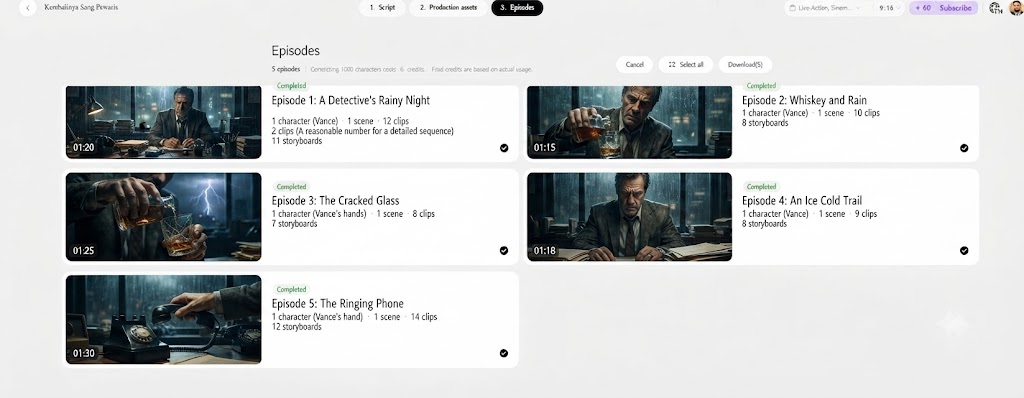
- Review generated episodes and refine characters, roles, scenes, audio, layouts, spatial relationships, and details carefully.
- Once satisfied with your experiments, choose “Select all”, then click “Download” to save episodes locally.
A Practical Experimentation Loop for Scene Designers
Do not overcomplicate with too many environmental details at first; begin with a simple spatial concept. Determine the main item and then add necessary supporting details around it. Experiment with the arrangement of the test by varying the scale, distance, camera position, and negative space. Compare and contrast versions according to visual hierarchy, readability, balance, and purpose of the narrative. Choose the best direction first and then layer on styling, textures, props, and/or detailed elements. Pippit makes this evolution possible because it maintains story elements and created media in one workspace.
Combining Reference-Guided Ideas With Layout Exploration
Visual references can be used to create architecture, atmosphere, style of objects, proportions, or identity of environment. A scene will have a much better starting point with a reference than with an open prompt. The layout exploration can retain the concept while varying the composition, spacing, and camera angle. A reference should be used for creative direction, not to prove an unreleased implementation. Creative Canvas and panoramic scene generation support the reference-driven workflow with Pippit. It has a documented workflow that can take an idea of a visual concept and create an environment around it in a 360-degree context. There can be prompts that describe lighting, architecture, scale, atmosphere, and camera direction.
Why Spatial Experimentation Can Improve Pre-Production
Early testing of layouts can reveal composition issues before going into detailed production, which can take a lot of time. Comparisons of cameras may be used to determine whether subjects are legible at various distances, heights, and angles. This is important when creating storyboards, ads, product scenes, social videos, and visual planning. The product scenes might require a more sophisticated object hierarchy, and the narrative scenes might require character spacing. Initial tests can detect clutter, poor focus points, or poor movement routes. Comparing alternatives promotes careful decision-making rather than taking the first “reasonable” mixture. Pippit offers a practical stepping stone between tried-and-tested scene concepts and generated video content. Story Studio enables you to creatively test, review, edit, and download media in bulk, all in one workflow.
Conclusion
Spatial experimentation can make the process of scene development more conscious, testing relationships first, then settling on visual details. The world-model direction expected focuses on connected environments, layout control, and multiple viewpoints. But the project has not been released, so the reported features are not confirmed and are only concepts. Pippit’s creative tools help you easily explore related scene planning. Increased spatial experimentation can create more effective composition, video direction, and storytelling.

